Posts

Analytics solutions from SAP

Image

Types of SAP HANA Editions (HANA Versions)

Image
1) Platform Edition: SAP HANA Database SAP HANA Studio SAP HANA Client  SAP Host Agent SAP HANA Information Composer 2) Enterprise Edition: SAP HANA Database SAP HANA Studio SAP HANA Client  SAP Host Agent SAP HANA Information Composer LT Replication Add-on (SLT) LT Replication Server (SLT) SAP BO Data Services 4.0 3) Enterprise Extended Edition: SAP HANA Database SAP HANA Studio SAP HANA Client  SAP Host Agent SAP HANA Information Composer LT Replication Add-on (SLT) LT Replication Server (SLT) SAP BO Data Services 4.0 Sybase Adaptive Server Enterprise (ASE) Sybase Replication Server (ECDA) Sybase Replication Server Agent SAP HANA Load Controller (Includes R/3 Load, RepServer De-cluster Add-On) It depends on what licenses you already have and how do you intends to use SAP HANA. Platform Edition = ETL via BO Data Services (If the client already have li...

OLAP universes in SAP BO

OLAP Cubes sources (as a DataSource) for SAP BO OLAP, see below • SAP BW InfoCube • MS SQL Server Analysis Services (SSAS) Cube • Hyperion Essbase Cube (Now it is Oracle Essbase) Designer creates universe automatically from a connection to a InfoCube or QueryCube. The cube elements are mapped directly to equivalent structures in the universe. A OLAP flattening driver is used to build a relational view from the cube. The universe is then generated from the view.

SAP BO - BI 4.0 features

Multisource Universes: An administrator can build a universe (the vendor's term for a data model) drawing on multiple relational data sources. This has been a big competitive weakness in SAP BusinessObjects when compared to Oracle, IBM Cognos and MicroStrategy. I've tested this capability in 4.0 and feel that other products still seem to have a more robust approach. Nonetheless, this is still a big improvement for SAP BusinessObjects customers. Direct SAP BICS Connectivity: The 4.0 release lets SAP Business Warehouse (BW) customers access BEx queries directly via the BICS (Business Intelligence Consumer Services) layer, a proprietary communication interface for BW, using either Web Intelligence, Dashboard Designer, or Crystal Reports. Going through the BICS layer provides better performance than the APIs previously used. There had been talk of SAP BW being supported as a data source in the universe, but that does not appear to be the case. Dashboard Improvements: X...

Step by Step Guide: SAP BW SPS Upgrade

SAP BW Upgrade usually of 2 Types. 1. Technical Upgrade (Service Pack Stack Upgrade) 2. Functional Upgrade In Technical Upgrade Projects, Lead/Senior Consultant (Expertise) will be involve in many Phases. SAP BW SPS Upgrade phases: If it is a global client (MNCs) : Decisions based on Business Needs/Cost/Time/Effective/Thorough. Some times client will not like to upgrade ECC/CRM...Boxes. 1.Client Will decide on which SAP BW versions they are in (From) & To which Level System Should be Upgrade based on requirement and its Compatibility/supportability. As BW becomes a Neccessary SAP Warehouse (Backend) for SAP Business Objects - Business Intelligence, GRC, EPM, 2.Current System Stack versions, Stats of the Systems (Boxes) & Documentation of Business process. 3.Senior Guys will approach The SAP Market Place, will search for Neccessary Patches/SPS (E.g. Upgrade from SAP BW 7.0 SPS 20 to SAP BW 7.1/7.2/7.X EHP 1). Usually Server has ABAP Stack (BW SPS version +2 Levels...

How to Use BW Accelerator (BWA)

BWA : How BW Accelerator reduces maintenance effort?!   Aggregate Maintenance Automated caching strategies. Building database indexes Improves implementation and administration Reduces TCO Where as the relational aggregate/caching approach is not obsolete with the BW accelerator, and is suitable for some scenarios Smaller data volume Predictable query patterns Relaxed response time constraints Caching reduces potential high load on BW accelarator   Here is the link which shows how to use the BWA https://docs.google.com/View?id=dfdxn336_38hnzg6jf7

Row Level Security (RLS) in SAP BO

Row Level Security limits the rows(data) a user/group can view. This is implemented using Supervisor in previous versions of BO.From XI we can implement Row Level Security in Designer.We can use @Variable('BOUSER') in where condition area of an Object Definition.for eg: Employee.EmployeeId  is the object, Go to object properties in Select--we write Employee.EmployeeId, in Where write  Employee.EmployeeId=@Variable('BOUSER').This gives the values related to Employee who logs in.In this way we can implement Row level Security. We also have another way in which we use "Manage Access Restrictions".In Designer->Tools->Manage Security->Manage Access Restrictions-->Give a name to restriction -->In Row tab(select table & give a condition eg:Country.CountryName=Singapore or CompanyCode=1010) -->Assign this restriction to a Group/User. This restricts a user(eg.Singapore sales Manager) to access values coresponding to Singapore. We can als...

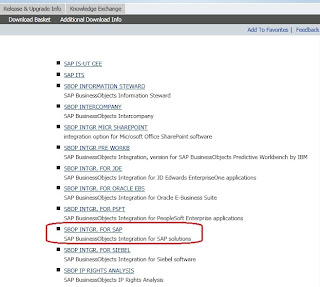
SAP BO Integration Step by Step (Windows)

Image
If the Version is BO Enterprise XI 3.0/3.1, If it is SAP BI 4.0 it doesn't required. Follow the below Steps.   1. To Integrate BO Server with SAP ECC/BW Download appropriate SAP Integration Kit from https://websmp206.sap-ag.de/support   2. Extract the Compressed file. 3. Install the BO Integration Kit on BO server. 4. Open the Integration kit folder --> Transports folder. 5. Here we can find 2 folders for ANSI and Unicode Compatible . Before you get into these folders Open the file transports_EN.txt file 6. Most of the SAP Servers are Unicode. In this Unicode folder, we can see K, R files.             K:Cofiles R:Data files   7. Follow the Instructions in the text file. Copy the respective files with appropriate file numbers with K to the D:\usr\sap\trans\cofiles.  8. R files to D:\usr\sap\trans\data . These Paths(OS Leve...

Universe Designer - Internal problem error

This kind issue may rise while log on to BO Designer. Go to this folder location. C:\Documents and Settings\ Application Data\Business Objects\Business Objects 12.0\lsi   In the lsi folder, you'll find some .lsi files that are named after the servers that you've connected to. Go ahead and either delete, or cut/paste it to another location (in case you want to save these as a back-up). To my knowledge, these .lsi files keep information on your login and your system for various BOBJ tools. Removing these won't cause any harm or damage to anything. I've had to do it many times when working with Universe Designer. Once you've removed the .lsi files from the folder, your Universe Designer should work.

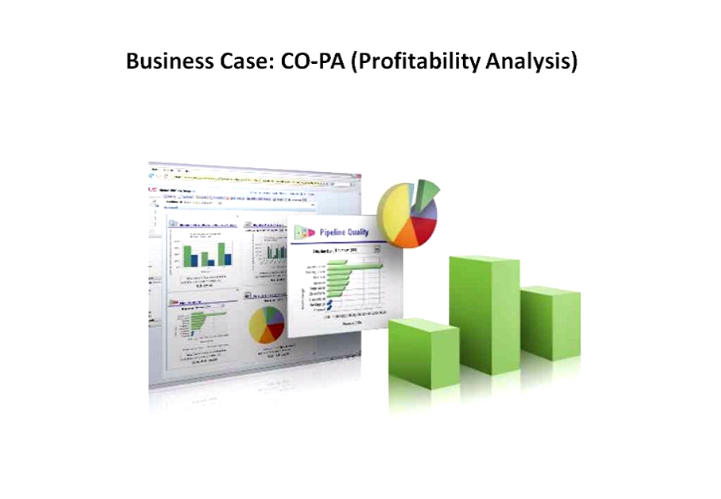
COPA Extraction Step By Step in SAP BW

Image
COPA Extraction Step by Step: SAP R/3 or SAP ECC: 1. SAP R/3 or ECC goto T.Code KEB0 , In Function: Select Create  Control Parameters: Provide a New CO-PA DataSource Name:1_CO_PA%CL%ERK 2. Select your O perating C oncern, e.g.,IDES. 3. Select radio button Costing-based or Account-based as OC . 4.Select field names for partitioning.e.g. BUKRS (Company Code), Check 5.Click on Info Catalog (F7) 6. Select the Characteristics & Value fields & Keyfigures 7. Select the Package/Development Class for Workbench request 8. Edit your DataSource to select/Hide fields, Save. Datasource created successfully. 9. Extractor Checker or RSA3, extraction. SAP BW:   1. Replicate DataSource 2. Assign InfoSource 3. Transfer all the datasource elements to an InfoSource 4. Activate InfoSource 5. Create a InfoCube (Copy Str from InfoSource) 6. Create Dimension & Define and Assign it. 7. Check & Activate. 8. Create Transformati...